
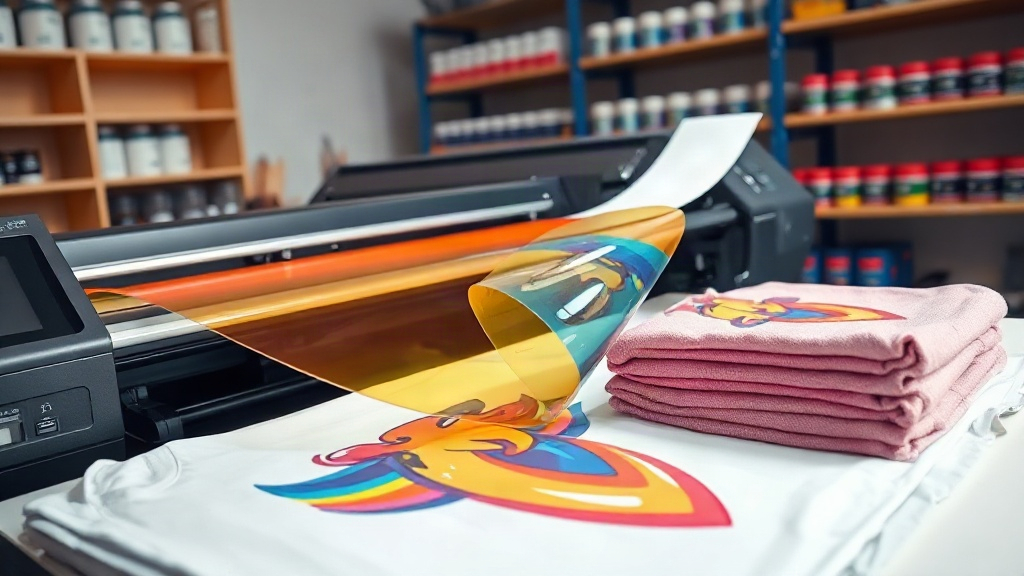
If you've been exploring custom apparel printing, you've likely encountered DTF printing. Short for Direct-to-Film, this technology has rapidly gained popularity for its versatility, vibrant colors, and ability to print on almost any fabric. Whether you're a small business owner, a hobbyist, or a large-scale manufacturer, understanding DTF printing can open up a world of possibilities for your designs. In this guide, we'll walk you through the entire DTF process, from design to finished product, and share practical tips to achieve professional results.
What is DTF Printing?
DTF printing is a digital printing method where your design is printed onto a special film, coated with a powdered adhesive, and then heat-pressed onto fabric. Unlike DTG (Direct-to-Garment) or screen printing, DTF doesn't require pre-treatment of the garment, and it works on a wide range of materials, including cotton, polyester, blends, and even nylon. The process involves four main steps: printing, powdering, curing, and transferring.
The DTF Printing Process Step by Step
- Design Preparation: Create your artwork in a graphics program, ensuring it's mirrored (unless your printer software handles it automatically).
- Printing: Using a DTF printer, your design is printed onto a PET film with a release layer. White ink is typically used as a base to make colors pop on dark fabrics.
- Powdering: While the ink is still wet, a thermoplastic powder (hot melt adhesive) is applied evenly over the print. The excess powder is shaken off.
- Curing: The film goes through a curing oven or heat press to melt the powder, creating a flexible, durable adhesive layer.
- Transfer: The film is placed on the fabric and heat-pressed. After cooling, the film is peeled away, leaving the design bonded to the fabric.
Why Choose DTF Printing?
DTF printing offers several advantages that make it a standout choice for custom apparel:
- Versatility: Works on cotton, polyester, blends, leather, and more.
- No Pre-treatment: Saves time and equipment costs compared to DTG.
- Vibrant Colors: White ink base allows for bright, opaque prints on dark garments.
- Durability: Prints withstand repeated washing without cracking or fading.
- Cost-Effective for Short Runs: No setup fees, making it ideal for small batches or personalized items.
DTF vs. Other Printing Methods
How does DTF stack up against DTG, screen printing, and sublimation? Let's compare:
- DTG: Best for 100% cotton, but requires pre-treatment and can be less vibrant on dark colors.
- Screen Printing: Cost-effective for large orders, but setup costs are high and colors are limited per screen.
- Sublimation: Only works on polyester and requires white fabric for best results.
- DTF: Combines the best of all: no pre-treatment, works on many fabrics, and offers vibrant, durable prints.
Getting Started with DTF Printing
Ready to dive into DTF printing? Here's what you'll need:
- DTF Printer: Options range from converted Epson printers to dedicated industrial machines.
- DTF Inks: Specialized pigment inks including CMYK and white.
- PET Film: Available in rolls or sheets; choose the right thickness for your design.
- Hot Melt Powder: The adhesive that bonds the ink to fabric.
- Curing Oven or Heat Press: For melting the powder and transferring the design.
- Heat Press: For applying the transfer to garments.
Choosing the Right DTF Printer
When selecting a DTF printer, consider your production volume, budget, and desired print quality. Entry-level printers are great for startups, while industrial models offer faster speeds and larger print areas. Look for printers with reliable printheads (like Epson i3200) and good software support.
DTF Ink and Powder Essentials
Quality ink and powder are crucial for vibrant, durable prints. Use inks specifically formulated for DTF to prevent clogging and ensure color accuracy. The powder should have a fine consistency and low melting point for smooth adhesion. Always store them properly to avoid moisture damage.
Tips for Perfect DTF Transfers
Achieving professional results with DTF requires attention to detail. Here are some tips:
- Mirror Your Design: Always print mirrored unless your software automatically flips it.
- Control Humidity: High humidity can affect powder application; work in a dry environment.
- Even Powder Application: Use a powder shaker for consistent coverage; too much powder leads to a stiff feel.
- Curing Temperature and Time: Follow ink and powder manufacturer recommendations; typically 160°C for 2-3 minutes.
- Heat Press Settings: Press at 160°C for 15-20 seconds with medium pressure. Peel while warm or cold depending on film type.
- Wash Care: Wait 24 hours before washing; turn garment inside out and avoid bleach.
Common DTF Printing Problems and Solutions
Even experienced printers encounter issues. Here's how to troubleshoot:
- Faded or Dull Colors: Ensure white ink is properly mixed and printhead is clean. Increase ink density if needed.
- Powder Not Sticking: Check that ink is wet enough; adjust powder application or humidity.
- Cracking After Wash: May indicate under-curing or insufficient pressure during transfer. Increase curing time or pressure.
- Film Not Peeling: Let the transfer cool completely before peeling for cold-peel films.
- Clogged Printhead: Regular maintenance and daily printhead cleaning prevent clogs.
Applications of DTF Printing
DTF printing isn't just for t-shirts. Its versatility extends to:
- Sportswear: Jerseys, leggings, and jackets with stretchable, durable prints.
- Denim and Leather: Adds vibrant designs without damaging materials.
- Canvas Bags and Hats: Personalize accessories with detailed graphics.
- Home Textiles: Cushions, blankets, and more.
- Promotional Items: Quick turnaround for events and corporate giveaways.
Frequently Asked Questions
How long does a DTF print last?
With proper care, DTF prints can last as long as the garment itself, often exceeding 50 washes without significant fading or cracking.
Can I use DTF on 100% polyester?
Yes, DTF works well on polyester, but lower temperatures and shorter pressing times are recommended to prevent dye migration. Use low-temperature powder for best results.
Do I need a special printer for DTF?
You can convert an Epson printer with DTF inks and a RIP software, or purchase a dedicated DTF printer. Dedicated printers are easier to use and maintain for consistent results.
Is DTF printing cost-effective for small orders?
Absolutely. DTF has no setup fees and allows you to print one-off designs without minimums, making it ideal for small businesses and personalized items.
What fabrics are not suitable for DTF?
DTF adheres to most fabrics, but highly stretchy or heat-sensitive materials (like some nylons or spandex blends) may require testing. Always do a test press first.
With its flexibility, durability, and vibrant output, DTF printing is a game-changer for custom apparel. Whether you're printing t-shirts for your brand or personalized gifts, mastering DTF can set you apart. Start experimenting, and watch your designs come to life on fabric.